Role
Senior Designer, inherited the project mid-sprint after a designer departure. Responsible for delivering a proposal within two weeks and designing the end-to-end scene selection and seat assignment experience.
Microsoft Teams
Inheriting a stalled project, delivering a proposal in two weeks, and designing spatial seat assignment that drove 87% organizer retention.
Role
Senior Designer
Timeline
2-Week Proposal
Adoption
2.2M MAU
87%
Organizer Retention
450K
Power Users
2.2M
Monthly Active Users
Senior Designer, inherited the project mid-sprint after a designer departure. Responsible for delivering a proposal within two weeks and designing the end-to-end scene selection and seat assignment experience.
Together Mode — which places participants in a shared virtual scene like an auditorium or coffee shop — launched during the pandemic to reduce meeting fatigue.
But it shipped as a bare-bones feature. Participants could only enable it individually, there was no way for organizers to turn it on for everyone, and there was no control over seating. Adoption was low and the feature wasn't discoverable.
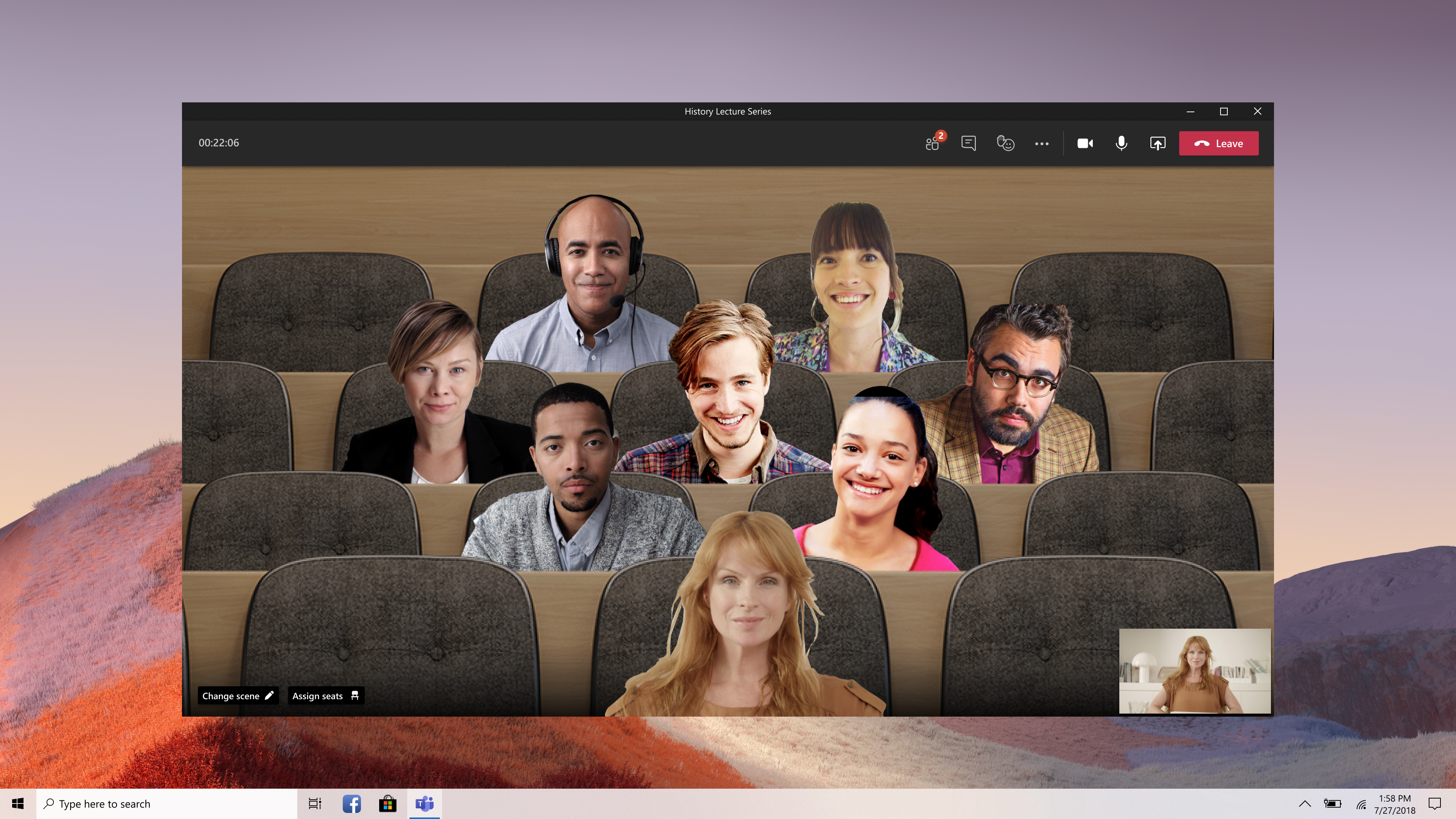
Together Mode scenes are rendered as a single flat video feed — they can't be directly interacted with.
The previous designer had explored spatial solutions on the canvas, but like Breakout Rooms, this wasn't technically feasible. I had two weeks to deliver a viable proposal.
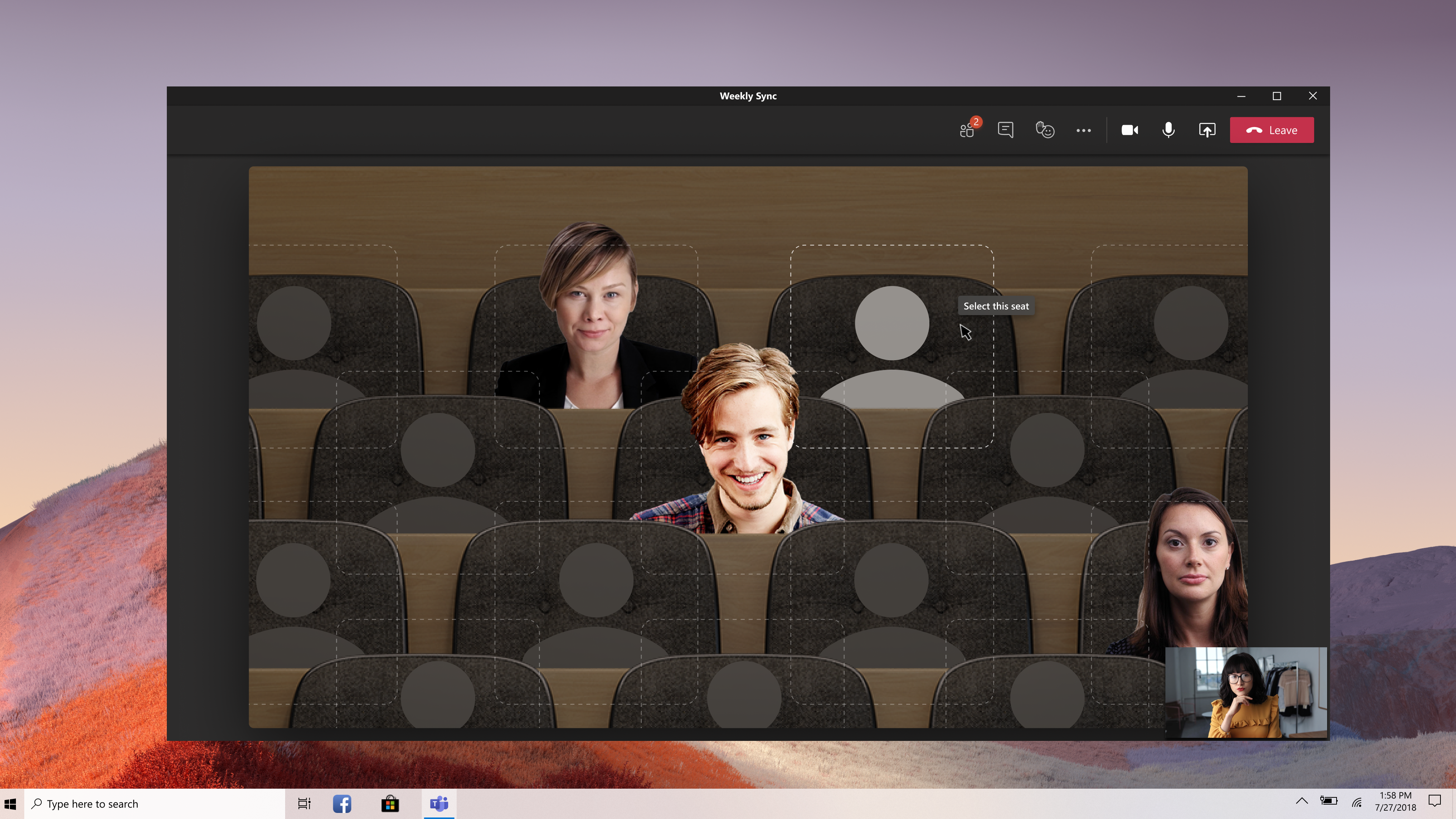
I scrapped the previous spatial canvas exploration and designed a new concept: rendering the scene map inside a modal with clickable seat positions.
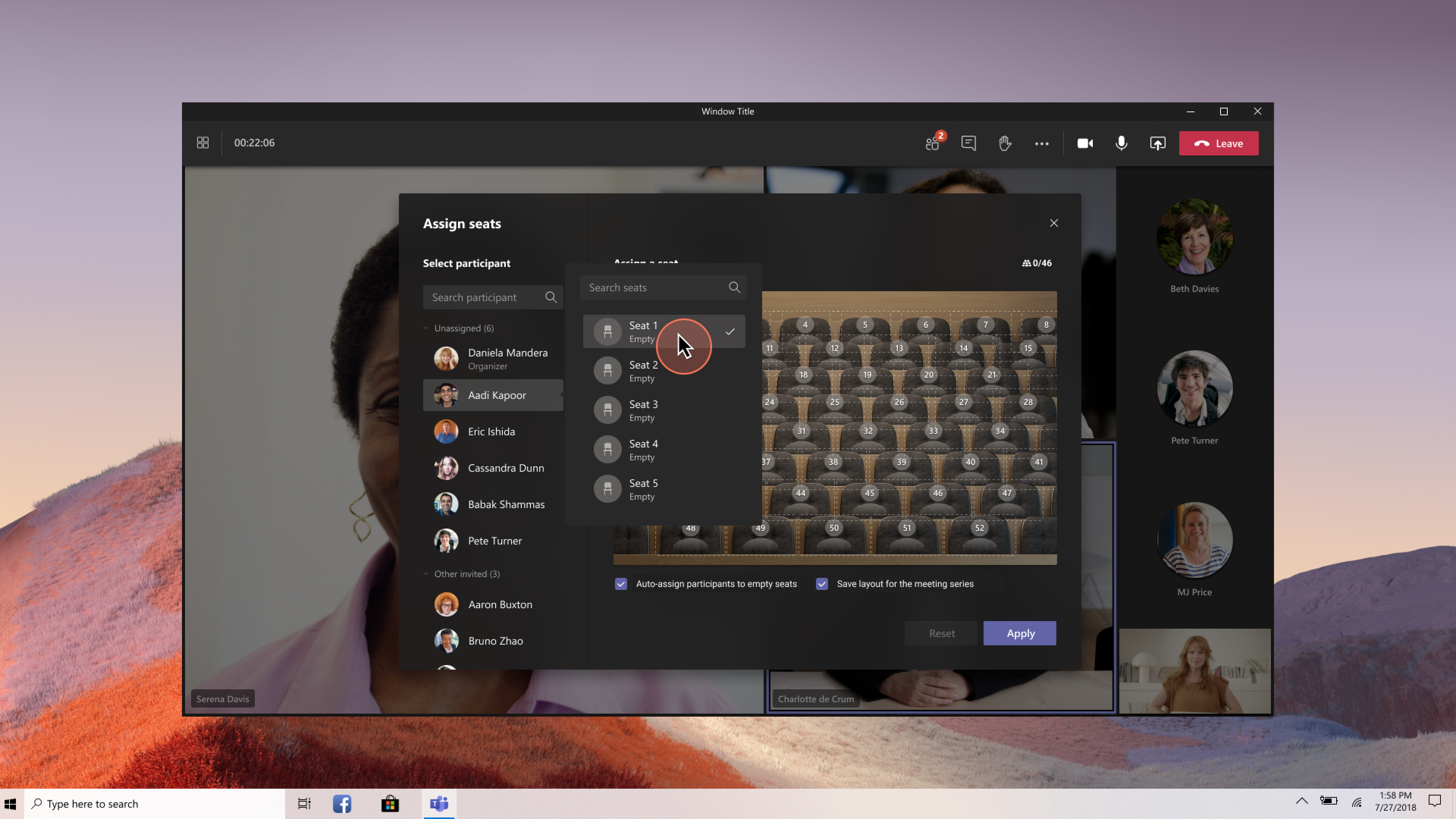
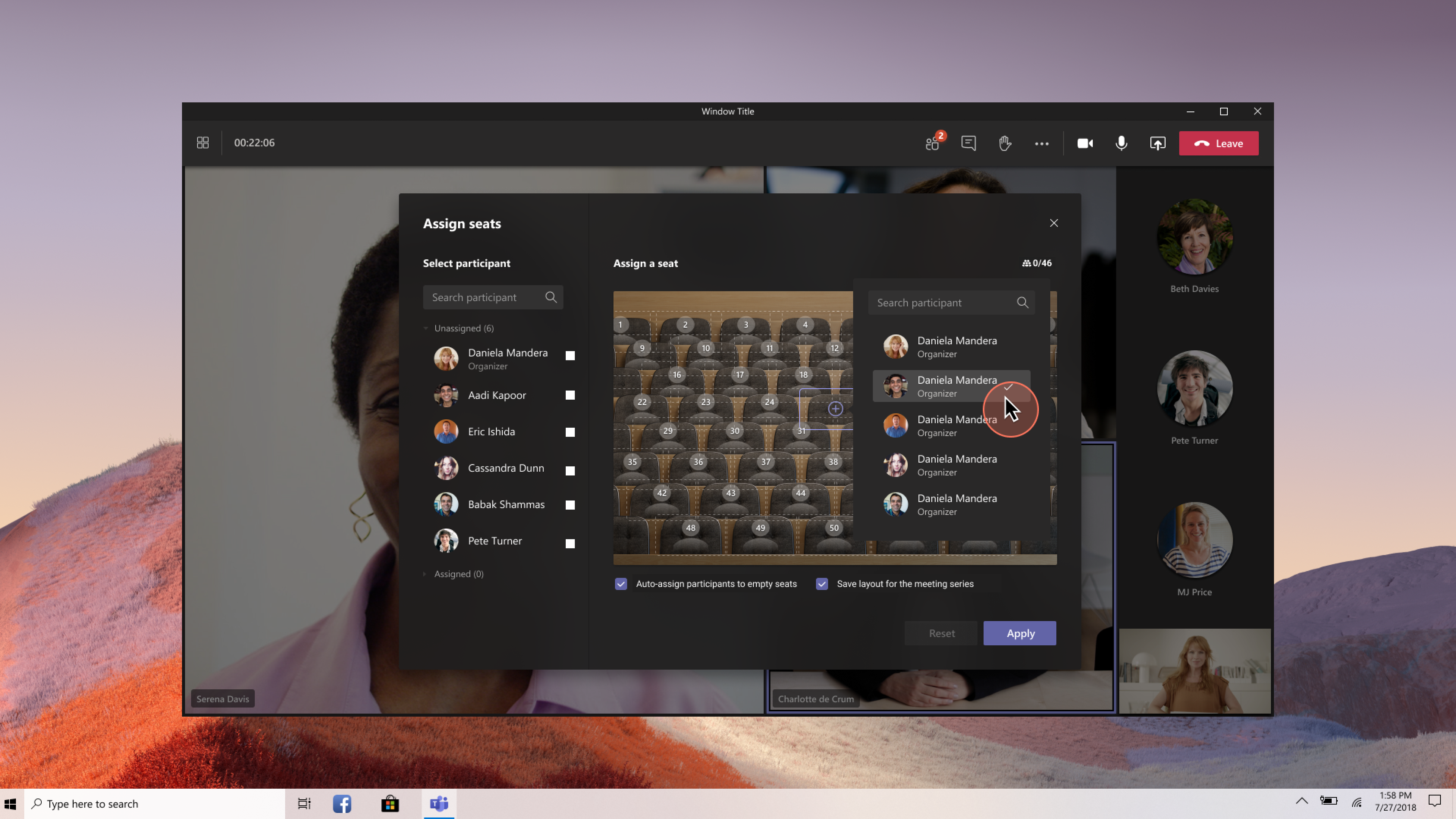
This simulated spatial interaction within a technically constrained surface — organizers could see the scene, click a seat, and assign a participant contextually. I included auto-assign as the default path to reduce friction, with manual assignment as the power-user path for cases like seating leadership in front rows.
I also shipped "Save layout for the meeting series" in the initial release rather than deferring it, because recurring meetings like weekly classes were a core use case that would drive retention.
Organizers select a scene and set Together Mode as the default view for all participants.
From within the assign seats modal, they see the scene rendered with clickable seat positions. Clicking a seat surfaces a contextual participant picker. Auto-assign fills empty seats automatically, and layouts can be saved for recurring meeting series.
After one month, organizers who set Together Mode as a default view represented 1.1% of MAU, with 87% continuing meetings in Together Mode for 30 minutes or longer.
These organizers brought in 8.04% of MAU through their meeting participants. Out of 2.2M MAU, 450K became power users, using Together Mode three or more times per month.
Next Project
Decisions