Decisions

Bringing AI to an
Established Platform

Designing the AI layer for Decisions — the #1 AI app in the Microsoft Teams Store — during the earliest days of AI-powered software. I led the design of every AI feature shipped to customers, transforming a traditional meeting management tool into an intelligent system that structures conversations, extracts accountability, and drives follow-through.

Role

Senior Product Designer

Timeline

2023—Present

Platform

Power App for Microsoft Teams

Recognition

#1 AI App, Teams Store

#1 AI

Microsoft Teams Store

2,500+

Enterprise Customers

Fast 50

Deloitte Recognition

Role

Senior Product Designer and sole designer for all AI features. Responsible for end-to-end design of Agenda Builder, AI Meeting Minutes, Meeting Recap, and the AI Assistant — from concept through ship. Partnered with product, engineering, and leadership to define AI strategy across the platform.

Context

Decisions had been a successful meeting management Power App for years — used by 2,500+ enterprise customers to run structured meetings inside Microsoft Teams. But in 2023, the landscape shifted.

AI was suddenly real, and competitors like Read.ai ($50M Series B), Microsoft Copilot, Fellow, and Otter.ai were racing to own the AI meeting space. The product had a critical advantage: an existing customer base, deep Teams integration, and years of structured meeting data. What it didn't have was any AI capability. My job was to design the AI layer from scratch — not as a bolt-on feature, but as a fundamental evolution of how the product worked.

Decisions platform overview

Challenge

Introducing AI into an established product is a fundamentally different design problem than building AI-native.

Existing users had workflows they relied on. AI couldn't break those patterns — it had to enhance them. At the same time, AI outputs are probabilistic, not deterministic. Meeting summaries can miss context. Action items can be misattributed. The design had to make AI feel useful without making it feel authoritative, giving users confidence to trust it while keeping them in control.

There was also no precedent. In 2023, there were no established patterns for AI meeting experiences. No component libraries. No best practices for how to present AI-generated content alongside human decisions. Every interaction pattern had to be designed from first principles.

Before and after: traditional meeting management to AI-enhanced

Key Decisions

I designed AI as an additive layer — not a replacement. Every AI feature was introduced alongside the existing manual workflow, letting users opt in gradually rather than forcing a paradigm shift.

For Meeting Minutes, I chose structured extraction over raw transcription. Rather than dumping a wall of text, the AI surfaces decisions, action items, and key topics in a scannable format. This meant designing a content hierarchy that distinguishes between what the AI generated and what the human confirmed — visual patterns that didn't exist yet in any product.

For the AI Assistant, I designed a proactive-but-deferential model. The assistant surfaces pre-meeting briefings and post-meeting tasks, but frames them as suggestions rather than directives. The design language uses soft prompts and easy dismissal — keeping AI present without making it feel intrusive.

I also designed the Agenda Builder to create structured inputs that improve AI output quality. Better agendas produce better summaries. This created a virtuous cycle: the more users engaged with the tool, the more useful the AI became.
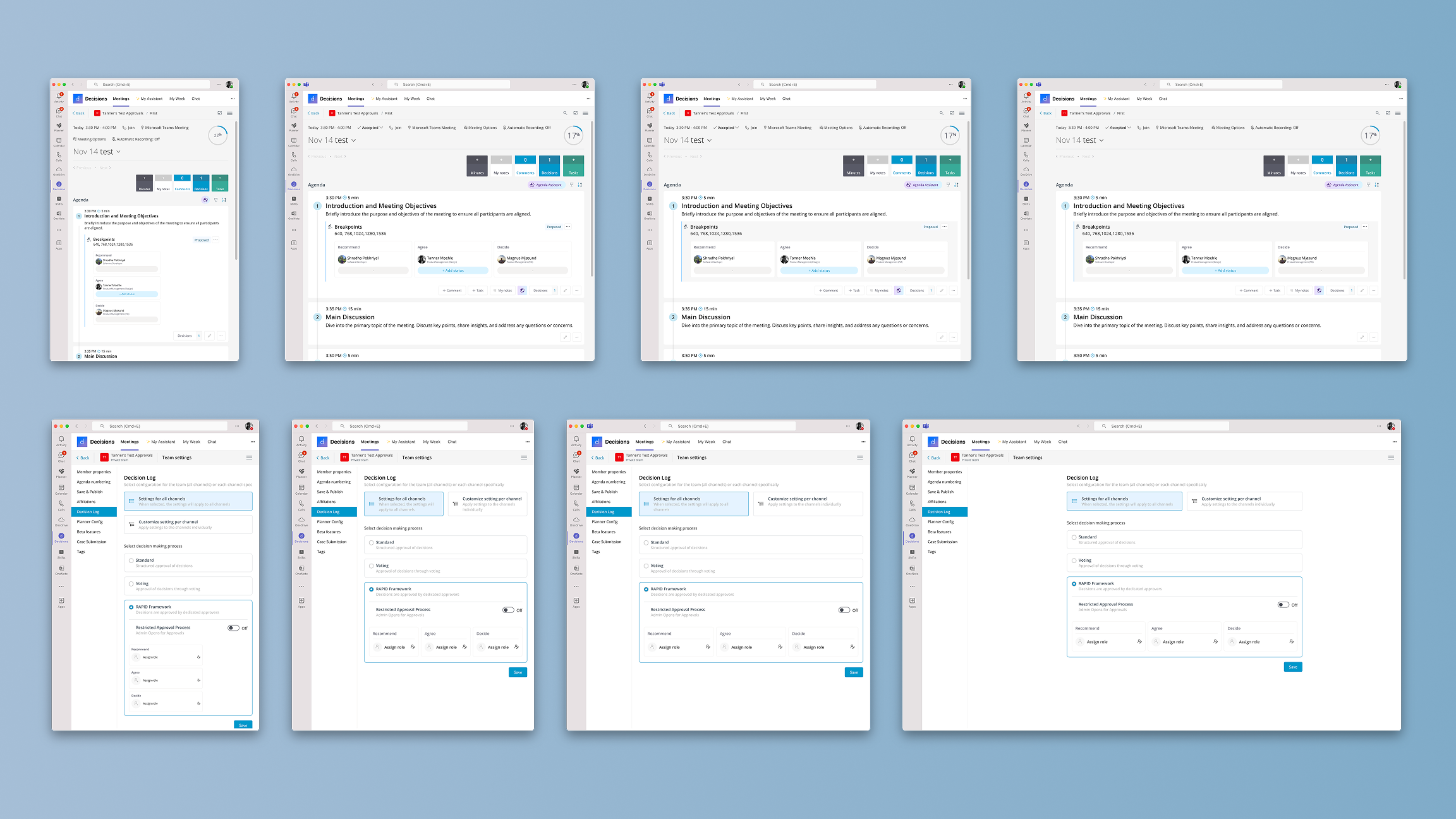
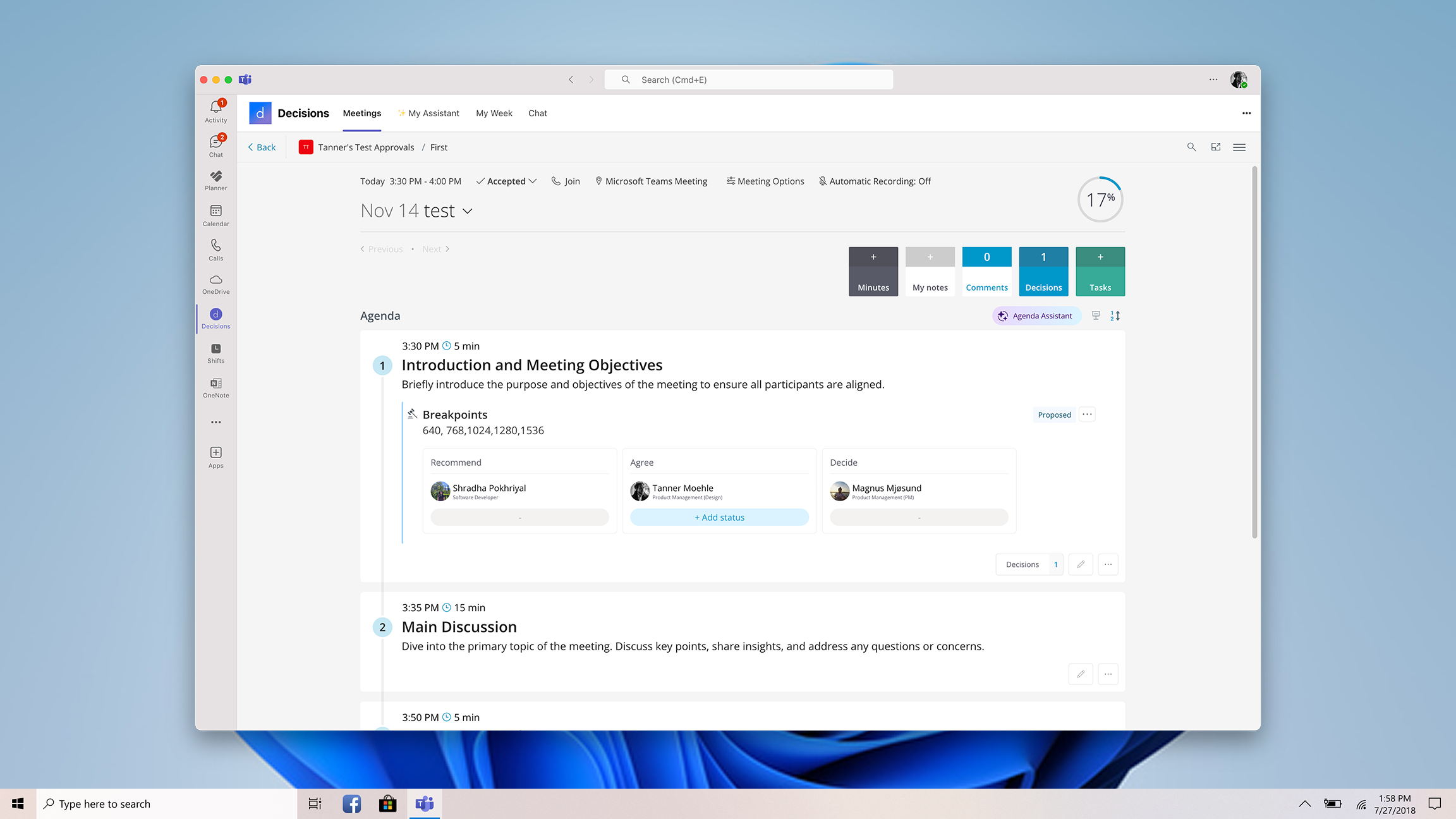
Agenda Builder

A structured agenda creation experience that transforms meetings from open-ended conversations into goal-oriented sessions.

Organizers build agendas with timed topics, presenters, and decision points before the meeting starts. During the meeting, the agenda drives the flow — keeping discussions on track and giving the AI clearer context for summarization. The design prioritizes speed and simplicity: most agendas can be created in under a minute.

Agenda Builder interface

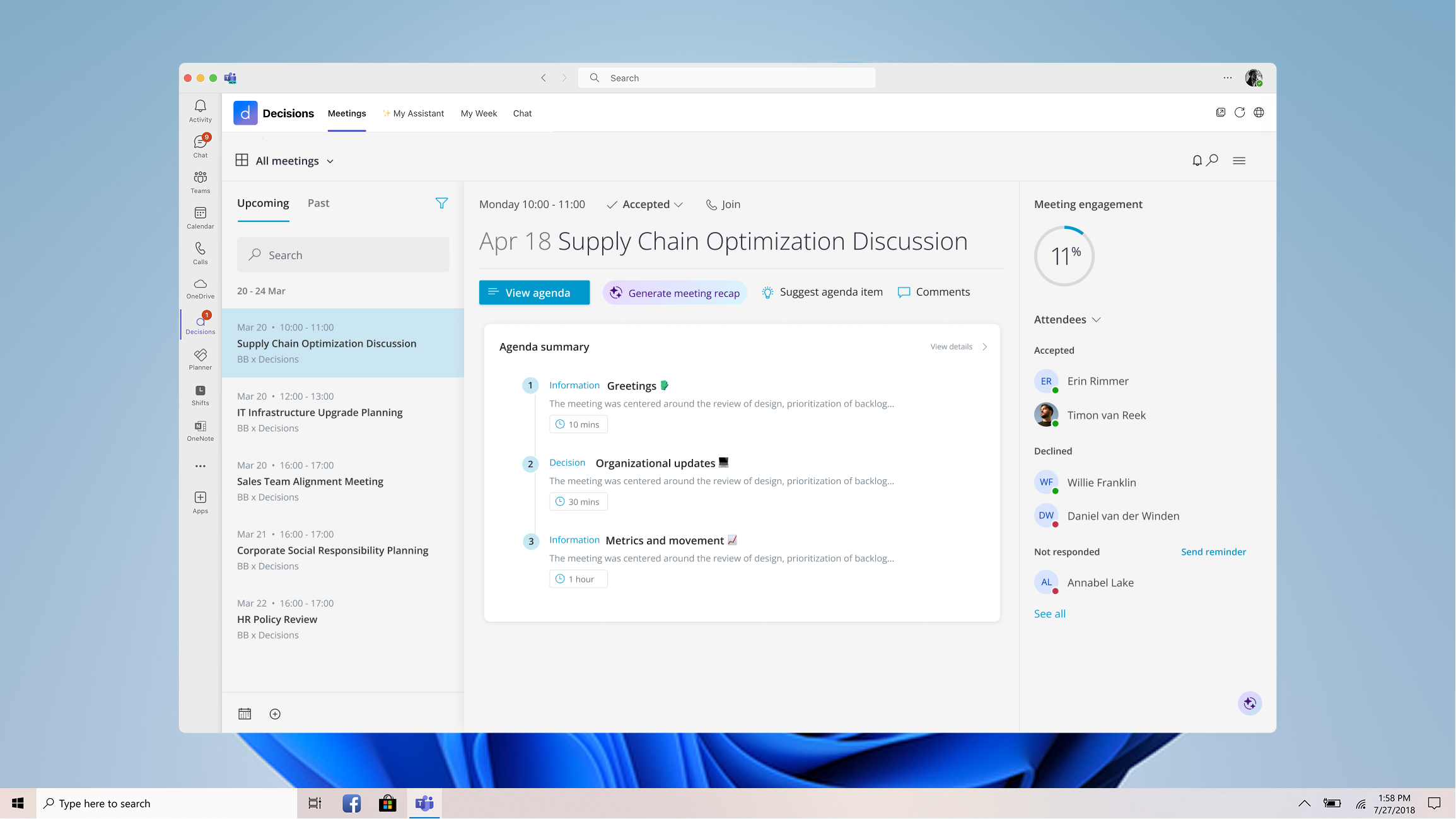
AI Meeting Minutes

AI-generated meeting minutes that extract structure from conversation — surfacing decisions, action items, and key discussion points rather than raw transcription.

The design emphasizes scannability and trust. AI-generated content is visually distinguished from human-confirmed content, making it clear what's a suggestion versus what's been validated. Users can edit, confirm, or dismiss any AI output inline, maintaining full control over the final record.

AI Minutes interface

Meeting Recap

A post-meeting summary delivered to all attendees and absentees, giving everyone a shared understanding of what happened and what's expected next.

The recap design solves the "I missed the meeting" problem. Rather than sending a recording link that no one watches, the recap delivers a structured summary: what was decided, who owns what, and what's due when. The format is designed for quick consumption — most users get what they need in under 30 seconds.

Meeting Recap experience

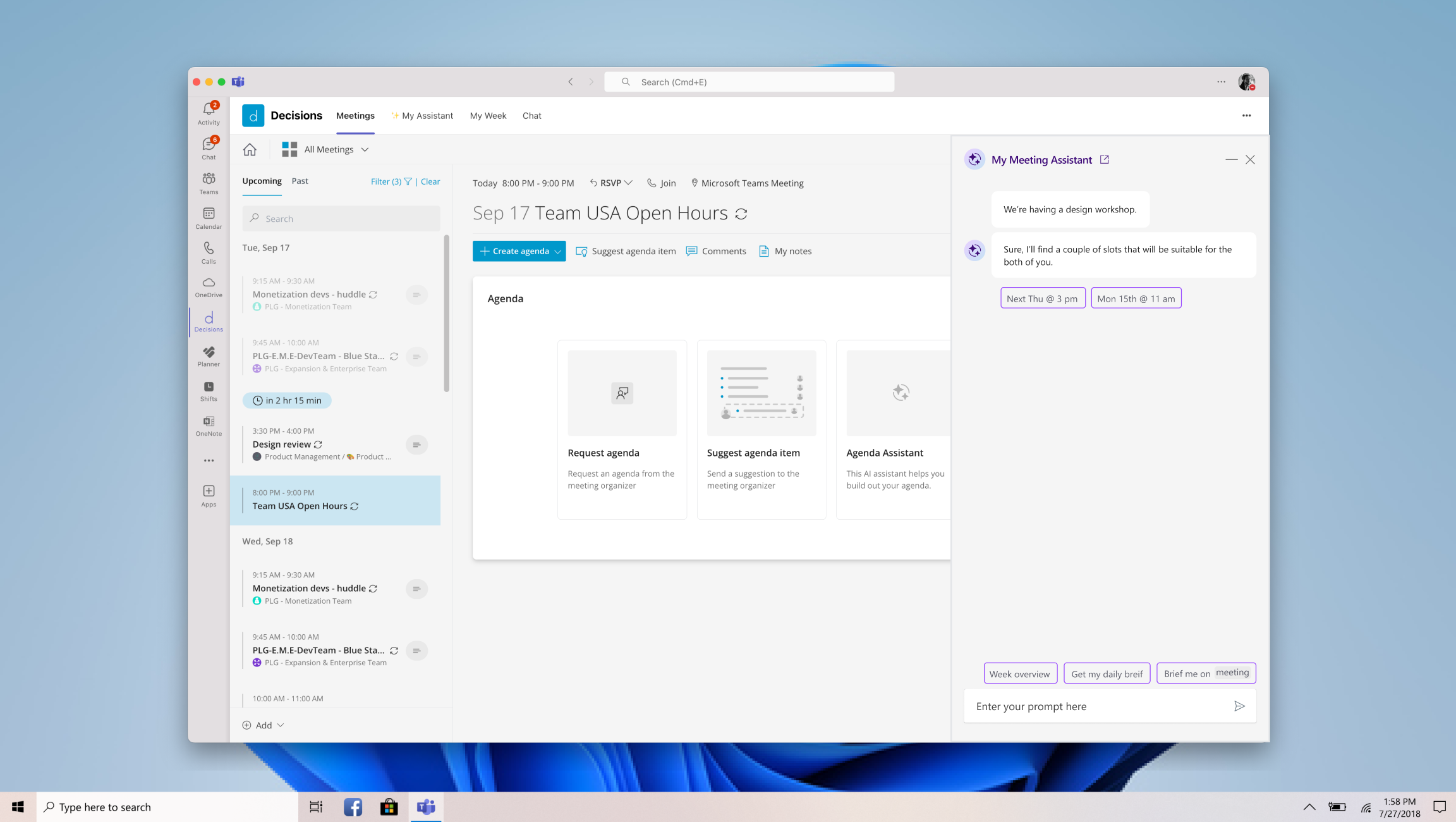
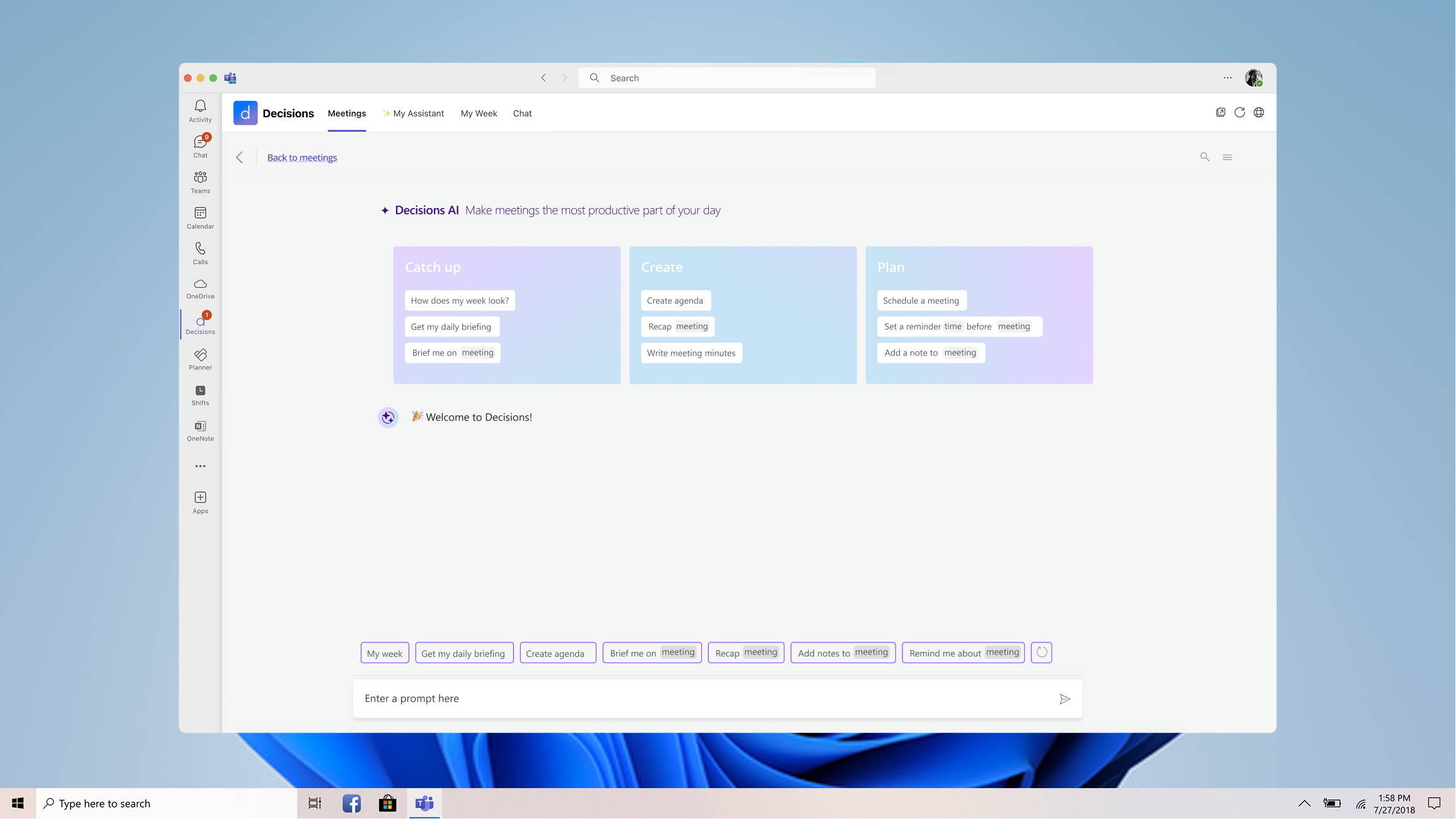
AI Assistant

A proactive meeting intelligence assistant that delivers pre-meeting briefings, in-meeting context, and post-meeting task creation — shipped to customers in 2023.

The assistant was designed to operate in the background, surfacing the right information at the right moment without requiring the user to ask. Before a meeting, it pulls in relevant context from previous sessions. After a meeting, it proposes action items and follow-ups. The design challenge was calibrating how "loud" the AI should be — too passive and users forget it exists, too aggressive and it disrupts the meeting flow.

AI Assistant interface

Design Philosophy

Structure in, intelligence out.

Every design decision reinforced a single principle: the more structure users put into their meetings, the more value AI could extract. Agenda Builder creates structured inputs. Meeting Minutes create structured outputs. Recap distributes structured summaries. The AI Assistant connects them all, creating a feedback loop where each meeting improves the system's understanding of how that team works.

This wasn't about adding AI for its own sake. It was about making meetings — something everyone does but no one optimizes — into a system that learns, adapts, and holds people accountable.

Outcome

Decisions became the #1 AI app in the Microsoft Teams Store, recognized as a Deloitte Fast 50 company. The AI features I designed drove the product's evolution from a meeting management tool to a meeting intelligence platform.

The product serves 2,500+ enterprise customers and continues to grow. AI feature adoption has become the primary growth driver, with quarterly increases in AI-generated summaries, active AI users, and overall platform engagement. The design system and interaction patterns I established for AI-human collaboration now serve as the foundation for every new feature the team builds.

Also Designed

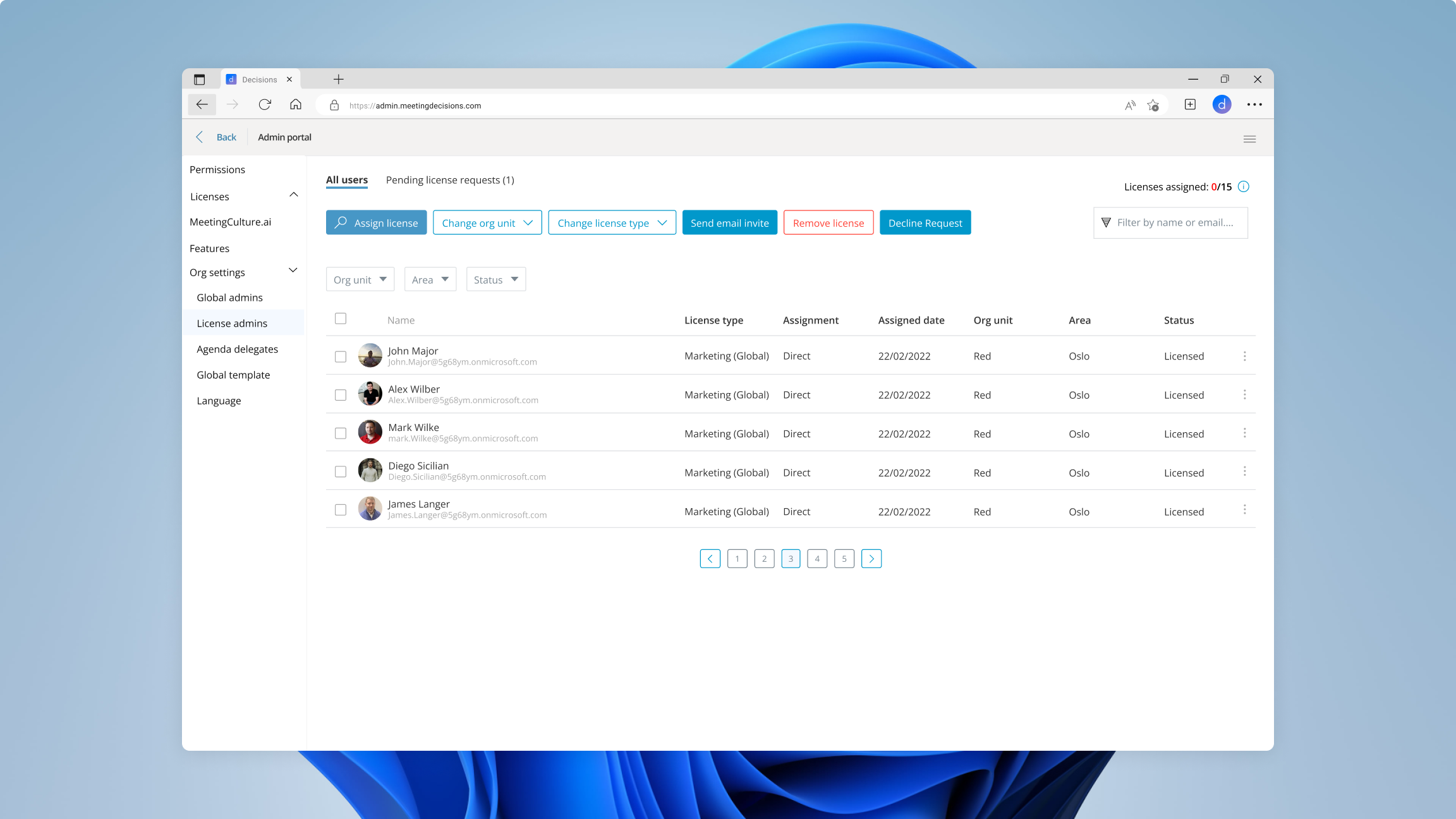
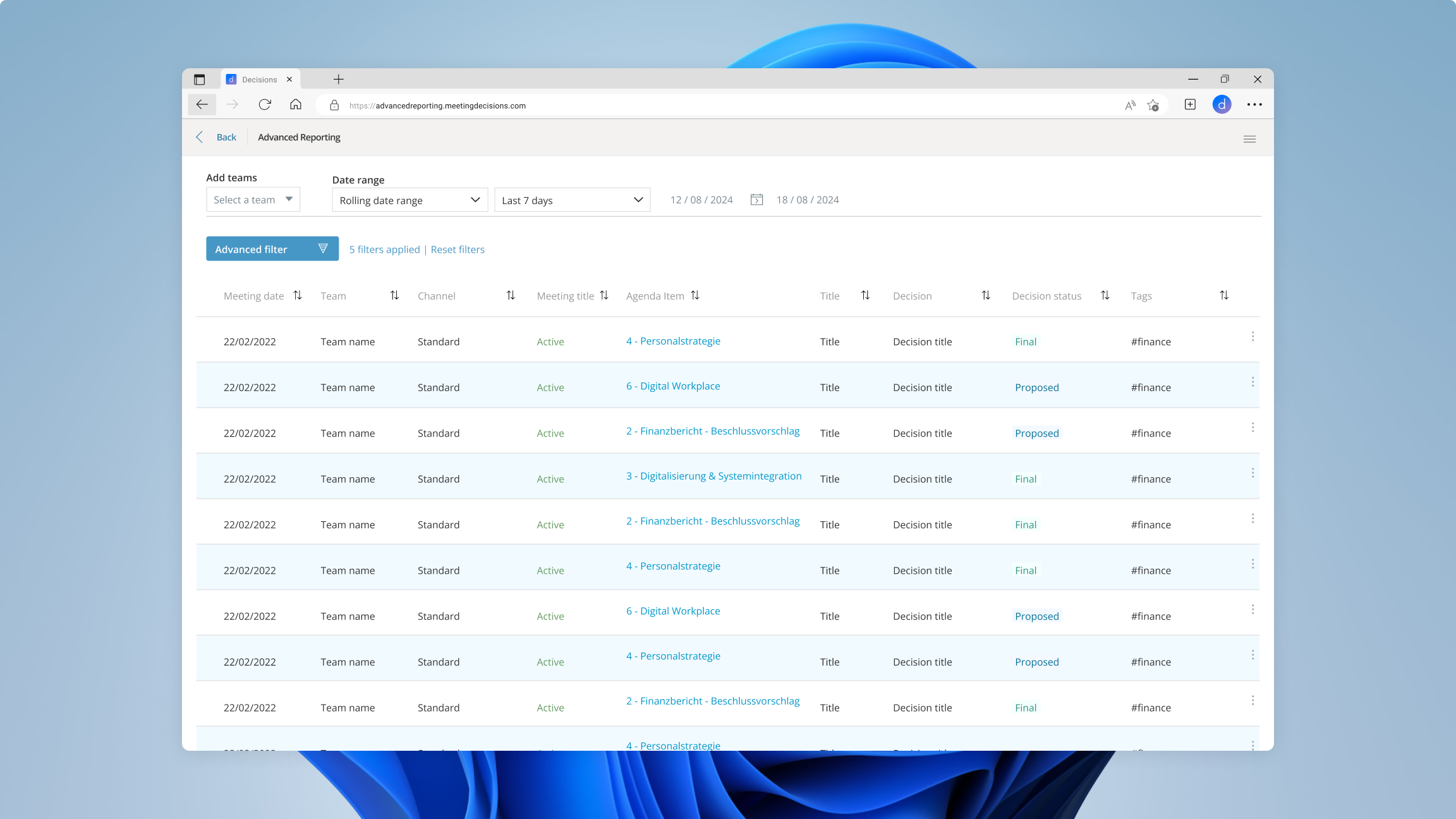
Beyond AI features, I led the design of the Advanced Reporting system and Admin Portal — enabling enterprise analytics, license management, and scalability across large tenants.

The reporting system gives administrators visibility into meeting patterns, decision velocity, and team engagement across their organization. The admin portal manages licensing, permissions, and deployment at scale — critical for enterprise adoption where a single tenant might have thousands of users.

Advanced Reporting dashboard